If you are shopping for smart home security cameras this year, you are not alone. The market exploded with new designs, smarter detection, and wider ecosystem support. Yet it is still confusing to match features to real needs. This guide shows you how to plan, buy, install, and maintain smart home security cameras without wasting money or time. You will learn what the specs really mean, where to place each camera, how to power and network them, what to expect from subscriptions, and how to protect your privacy while getting useful alerts.
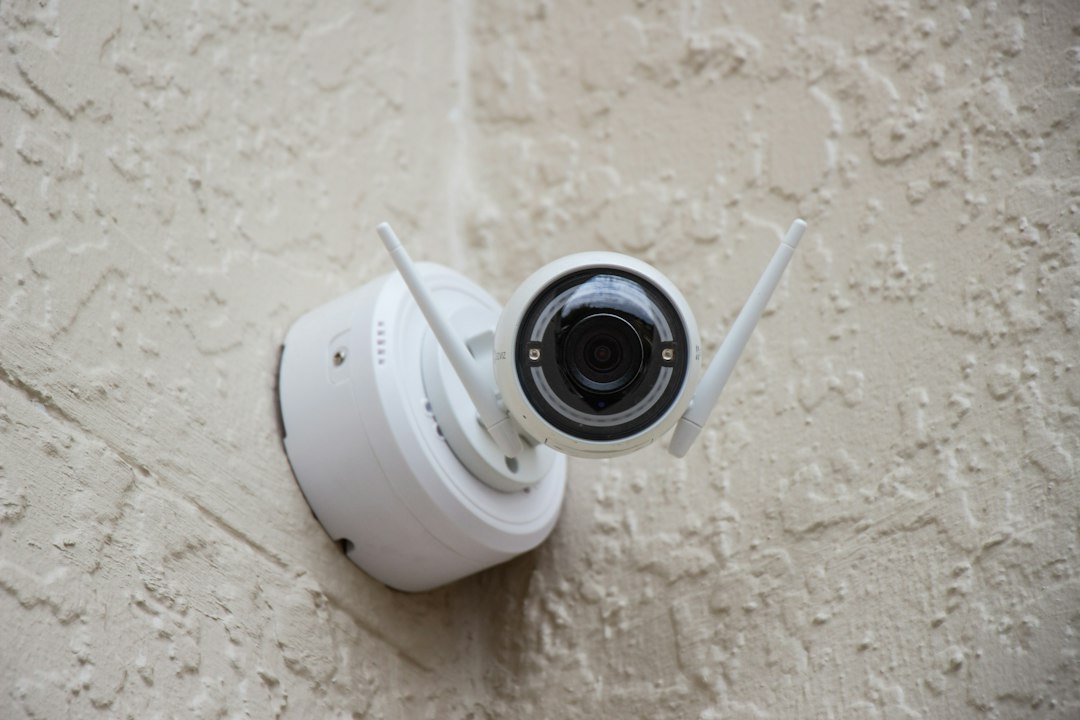
What to expect from smart home security cameras in 2026
The baseline for consumer cameras has shifted. In 2026, even entry models commonly offer 2K to 4K resolution, color night vision with low-light sensors, onboard AI for people and package recognition, and smarter motion zones that reduce random alerts. Software quality matters more than raw megapixels. Expect better HDR processing for backlit porches and sunlit driveways, wider dynamic range to reveal faces under hats, and faster wake times on battery units to avoid missed events.
Vendors are also embracing more open standards. Matter support began to land in several ecosystems, and Thread radios are appearing in some models, though Wi‑Fi remains dominant for bandwidth. On-device analytics are slowly reducing the need to send every frame to the cloud, which saves data and can reduce latency. Cloud still has a role: multi-day clip history, multi-camera timelines, and simple sharing for neighbors or authorities when appropriate.
From a hardware perspective, you will see tighter industrial design for weather resistance, more efficient batteries and solar panels, and wider fields of view with less edge distortion. Wired options are also getting attention, particularly PoE (Power over Ethernet) for rock-solid uptime and no batteries to charge. Most households mix types: a battery doorbell for the front, a wired floodlight cam for the driveway, and compact indoor cams for entry points and general awareness.
Camera types and mounting choices
Choosing the right camera type for each location is half the battle. Here are the common categories and where they shine.
- Doorbell cameras: Best for the front door or gate. They capture faces at close range, detect packages, and offer two-way talk. Look for head-to-toe framing so you can see parcels on the ground, quick response after a button press, and a reliable pre-roll buffer so you do not miss approach footage.
- Battery spotlight cameras: Flexible placement and easy DIY install. Ideal for areas without outlets: sheds, side yards, or temporary placements. Seek quick wake, good low-light performance, and optional solar panels if the location gets direct sun.
- Wired floodlight cameras: Combine a bright light with a camera and motion sensor. Excellent for driveways, alleys, and backyards. Look for adjustable light heads, high CRI (color accuracy), and schedules or ambient light triggers so they do not glare late at night.
- Indoor mini cameras: Compact, affordable, and great for interior coverage. Place them near main entry points, high-value rooms, or to check on pets. Privacy shutters are a plus when you are home.
- PoE turret/bullet cameras: The stability and quality champs. A good fit for larger properties or anyone who wants professional-grade reliability. A single Ethernet cable delivers power and data. Pair with an NVR (network video recorder) for local storage and centralized management.
Mounting height and angle make as much difference as the hardware. Too high, and you capture heads and hats; too low, and you get glare from headlights or windows. A good rule of thumb outdoors is around 7–9 feet for general coverage, slightly lower by doors. Aim across paths rather than directly into them to maximize motion detection frames. Avoid pointing through glass; IR reflects and ruins night images. Use wedge kits for doorbells to capture the approach path rather than the street beyond.
Sensors and image quality explained
Specs can be slippery. Understanding how they interact leads to better buying decisions.
- Resolution (2K, 4K): More pixels can reveal distant details like plate numbers, but only if lens quality, sensor size, and compression keep up. A high-resolution feed that is overly compressed might look worse than a well-tuned 1080p stream.
- Sensor size and pixel pitch: Larger sensors and larger pixels gather more light, improving night performance and reducing noise. Unfortunately, many boxes do not list these numbers. Seek independent reviews or sample clips at night, not just daytime product pages.
- HDR and dynamic range: HDR combines multiple exposures to handle bright skies and dark shadows. Look for cameras that manage porch-and-sun transitions without blowing highlights.
- Lens and FOV: An ultra-wide view (150°+) captures more context but can shrink faces. For narrow spaces like a side yard, a slightly narrower FOV can be better to keep subjects larger in-frame. Rectilinear lenses keep straight lines straight; heavy fisheye distortion can hinder identification.
- Color night vision: With adequate ambient light, modern sensors can capture color at night, which aids identification. In deep darkness, supplemental IR LEDs help, but the image will convert to monochrome. Adjustable IR intensity helps avoid overexposed close-ups.
- Frame rate and shutter: 20–30 fps is typical. Faster is not always better if bandwidth suffers. Motion clarity depends on shutter speed: too slow, and moving subjects blur. Some cameras expose longer at night; look for modes that keep motion crisp.
Finally, consider how the camera encodes video. H.265 (HEVC) can reduce file sizes compared to H.264, but compatibility with older devices varies. Variable bitrate (VBR) adapts to scene complexity, saving bandwidth; constant bitrate (CBR) is predictable but less efficient.
Connectivity, local storage, and cloud plans
Smart cameras live at the intersection of networking and storage. Choices here shape reliability and long-term cost.
- Wi‑Fi bands: 2.4 GHz travels farther and through walls; 5 GHz is faster but shorter range. Many battery cameras stick to 2.4 GHz for battery life. If your router supports it, a dedicated IoT SSID can reduce congestion.
- Ethernet and PoE: The gold standard for uptime. One cable provides power and data. PoE switches are affordable, and weatherproof runs to soffits are straightforward for many homes. This option shines when you want consistent streams for an NVR.
- Local microSD: Convenient and cheap, but cards wear out. Choose high-endurance cards and keep spares. If the camera is stolen, so is the footage, unless it syncs elsewhere.
- Local NVR/NAS: Higher upfront effort but excellent control. You manage retention, clip access, and network isolation. ONVIF compatibility allows mixing brands, but smart detection features may be camera-specific.
- Cloud plans: Subscriptions typically unlock multi-day history, richer AI detection, and sharing. Compare cost per camera, total household caps, event vs continuous recording, and whether advanced detection runs locally or in the cloud. Decide camera by camera: sometimes a single front-door subscription is enough.
A hybrid approach often works best: doorbell to the vendor’s cloud plan for quick sharing, backyard PoE cams to a local NVR for continuous capture, and one or two indoor cams with microSD for low-friction access.
Smart features that actually matter
Feature lists can be long. Focus on capabilities that save time and deliver clear context.
- People, vehicle, and package recognition: Reduces noise from tree shadows or pets. Check if these detections work locally or require a subscription.
- Activity zones and lines: Draw zones to ignore sidewalks or swaying branches. Some models let you draw trip lines to catch cross-traffic specifically.
- Pre-roll and capture windows: A 3–6 second pre-roll clips the approach rather than the retreat. Particularly important on doorbells and battery cams that may wake on motion.
- Two-way talk and quick replies: Latency and speaker clarity vary widely. Try to find samples. Quick reply buttons are handy for couriers.
- Automation hooks: Turn on porch lights when a person is detected, or play a sound through a smart speaker. Matter scenes, Alexa routines, Google Home automations, and HomeKit scenes can all integrate with camera triggers depending on brand.
- Privacy shutter and schedules: A motorized shutter or software privacy mode for indoor cams is worth the tiny price premium.
One overlooked feature is multi-camera timelines. When something happens, you will often want to see entries from all cameras around the same time. Some apps stitch events together so you can scrub across angles without opening separate clips.
Privacy, data practices, and responsible setup
Cameras provide peace of mind, but they also introduce sensitive data. A careful setup reduces exposure and improves trust with family and neighbors.
- Minimize what you collect: Disable audio where not needed. Mask windows or neighboring yards with privacy zones. Indoors, consider cameras only for the main entry or common areas with a physical shutter.
- Account and device hygiene: Use unique passwords and a password manager. Enable MFA. Create separate household logins instead of sharing one account.
- Vendor policies: Read retention policies and whether staff can access footage for technical support. Prefer vendors that support end‑to‑end encryption for stored clips or at least encryption at rest and in transit.
- Network segmentation: Place cameras on an isolated IoT VLAN or guest network so they cannot see personal laptops or work gear.
- Transparent placement: Point outdoor cameras at your property lines, not into public streets or private homes. Post a small notice if required in your region and talk with close neighbors about angles if necessary.
Responsible configuration builds goodwill and reduces the chance of capturing material you never intended to collect.
Ecosystem compatibility and automation
Before you buy, decide which ecosystem you prefer for daily control. Alexa and Google Home both offer wide camera support for live views on smart displays and TVs. Apple Home (HomeKit) is more selective, but HomeKit Secure Video offers a privacy‑forward model with iCloud storage and rich detection powered by Apple devices.
Matter is improving the baseline for device onboarding and control. For cameras, Matter support is still maturing, but early models can expose basic streams and automations. If you want full‑fidelity analytics, vendor apps still tend to be ahead, but automation across brands is getting easier. For advanced local storage and cross‑brand setups, look for ONVIF support so you can use third‑party NVR software. If you intend to scale past four or five cameras, thinking in terms of standards now can save you headaches later.
Last, consider Technology and Gadgets resources on our site for ecosystem walk‑throughs and setup examples tailored to common routers and smart displays.
Power and networking: battery, wired, and PoE
Power strategy shapes reliability and maintenance cadence.
- Battery: The fastest install. Modern batteries last weeks to months depending on activity and cold weather. Solar trickle chargers help if the panel gets multi‑hour, unobstructed sun. Plan a recharging rotation and keep a spare battery if the model supports it.
- Low‑voltage wired (doorbell/floodlight): Uses existing doorbell transformers or AC mains for floodlights. Stable and hands‑off once wired correctly. Verify transformer output and gauge; older doorbell systems sometimes need an upgrade.
- PoE: Excellent for new soffit runs or when you can pull cable through an attic or crawlspace. A small PoE switch or PoE‑enabled router is all you need. For outdoor runs, use UV‑resistant cable and drip loops, and consider conduit for protection.
For networking, aim for consistent signal strength. If Wi‑Fi is weak where you want a camera, reposition the router, add a mesh node, or choose Ethernet/PoE. Avoid relying on extenders that create separate SSIDs; seamless roaming with mesh is more predictable. If your camera supports it, lock channels to avoid crowded bands and set fixed IPs for troubleshooting.
Outdoor vs indoor: weather and durability
Outdoor cameras need to withstand rain, dust, heat, and cold. Check the IP rating: IP65 handles water jets; IP66 ups the protection; IP67 adds temporary submersion resistance. Also look for operating temperature ranges that match your climate and for conformal coating on boards in harsher environments. An IK rating signals resistance to impact; higher numbers withstand more force.
Sun, snow, and bugs also matter. Direct sun can cause lens flare or heat‑related shutdowns; use eave shade or angled mounts. Insects are drawn to IR; placing the camera away from porch lights or switching to warm‑spectrum bulbs can reduce moth swarms in night footage. A small dose of silicone around cable penetrations keeps out moisture and pests.
Indoors, prioritize discreet design, privacy modes, and resistance to window reflections if the camera faces glass. Small tripods or magnetic mounts help with flexible placement during holidays or travel without drilling holes.
Installation step‑by‑step and placement checklists
Use this practical sequence for a clean install.
- Walk your property: List entry points, package drop spots, vehicle paths, and areas you want to avoid filming.
- Sketch coverage: Assign a camera type to each zone: doorbell for entry, floodlight cam for driveway, battery cam for side yard, mini cam for the mudroom, PoE turret for backyard.
- Test angles: Use a phone held where the camera would go and record test clips at day and night. Check glare and framing. Adjust until faces fill a reasonable portion of the frame.
- Plan power: Confirm transformer wattage or outlet locations, PoE switch capacity, and cable paths. Buy high‑endurance microSD if you use local recording.
- Mount securely: Pre‑drill holes, use proper anchors, and seal exterior penetrations. Wrap external connections with self‑fusing tape and add drip loops.
- Configure software: Update firmware, set time zone, enable MFA, define zones and schedules, and calibrate notifications. Test two‑way audio and clip sharing.
- Run a 7‑day trial: Track false alerts, battery drain, night clarity, and timeline usability. Fine‑tune zones and motion sensitivity.
Placement checklist
- Mount outdoor cams around 7–9 ft; doorbells slightly lower for faces.
- Angle across walkways, not straight at them, for better motion frames.
- Avoid pointing at windows; IR reflections ruin night clips.
- Use wedges to correct doorbell angle toward the approach path.
- Keep IR LEDs clear of spider webs; a little insect spray near—but not on—the housing can help.
Maintenance, troubleshooting, and lifecycle planning
Smart cameras are appliances that benefit from light but regular care.
- Quarterly cleaning: Wipe lenses with a microfiber cloth and a drop of lens cleaner. Dust or pollen can soften details.
- Firmware policy: Enable auto‑updates if the vendor has a solid track record; otherwise, schedule manual checks and read release notes before applying.
- Battery rotation: For battery cams, keep a labeled spare charging. Swap proactively before big trips or busy seasons.
- Storage health: If using microSD, replace cards annually or at the first sign of failure. For NVRs, monitor drive SMART data and retention levels; plan for larger disks as coverage grows.
- Event drills: Once or twice a year, simulate a delivery or motion at night and verify that clips, notifications, and automations behave as expected.
Every device ages. Expect to refresh at least some cameras after 3–5 years as sensors, algorithms, and standards advance. When you plan cable and mount locations with a bit of extra slack and universal junction boxes, upgrades become easy.
Budgeting, value comparisons, and sample build lists
Price ranges overlap because features and storage models vary. Think in terms of per‑location value, not per‑camera bragging rights, and do the math on storage.
- Entry budget (apartment or small home): Battery doorbell with pre‑roll + one indoor mini cam + optional cloud plan for the doorbell only. Add a small smart display for live views.
- Mid budget (typical home): Wired floodlight cam for the driveway + battery cam for the side yard + doorbell + one indoor mini cam. Doorbell on cloud, backyard on local microSD, others on free event storage.
- Higher budget (larger lot or frequent travel): PoE turrets for backyard and side gates + wired floodlight cam + doorbell + indoor minis. Central NVR for continuous recording, limited cloud plan for the doorbell.
Watch for hidden costs: per‑camera subscription fees, proprietary mounts, or accessories like wedge kits and junction boxes. A slightly pricier camera with native local storage and good detection may cost less over two years than a cheaper model tied to mandatory subscriptions.
Security hardening and risk management
Your footage is only as trustworthy as the system around it. A few careful steps reduce risks.
- Strong identities: Use unique, randomly generated passwords and MFA for the camera app, cloud portal, and any NVR remote access.
- Network isolation: Put cameras on a dedicated IoT VLAN or guest SSID. Block outbound traffic to unknown domains where possible without breaking updates.
- TLS and certificates: Prefer apps and NVRs that use HTTPS with modern ciphers. For remote viewing, consider VPN access rather than exposing ports.
- Least privilege: Create viewer accounts for family members rather than giving admin access. Use per‑camera sharing links that expire.
- Redundancy: For critical locations, overlap coverage or add a low‑cost secondary angle. If power reliability is poor, a small UPS for your router and PoE switch keeps recording during brief outages.
When you travel, test remote access on cellular data before you leave. If something is broken, it is better to discover it from your driveway than from another country.
Buying checklist and decision tree
Use this one‑page checklist while you shop.
- Location and purpose: front door, driveway, side yard, interior entry, pets, or general check‑in.
- Power: battery + optional solar, wired doorbell/floodlight, or PoE.
- Connectivity: 2.4 GHz, dual‑band Wi‑Fi, Ethernet/PoE, or Thread (if supported).
- Image: 2K/4K, HDR, night performance, lens distortion control.
- Detection: people/vehicle/package, zones/lines, pre‑roll, reliable two‑way talk.
- Storage: microSD, NVR/NAS (ONVIF), vendor cloud, or a hybrid plan.
- Privacy: audio off where not needed, privacy zones, shutters and schedules.
- Ecosystem: Alexa, Google Home, HomeKit, early Matter support, or ONVIF for NVR.
- Durability: IP and temperature ratings; mounting hardware quality.
- Total cost: camera price + optional subscription + mounts/cables + storage media.
Fast decision tree
- Need the simplest front‑door solution? Pick a doorbell with pre‑roll, head‑to‑toe view, and a cloud plan you can tolerate.
- No outlets by the side gate? Battery cam with solar if you get several hours of sun; otherwise accept periodic charging.
- Want maximum reliability? PoE cam to an NVR. If you do not want to run cable, choose a wired floodlight cam on existing mains.
- Prefer a single app? Stay within one vendor for doorbell, outdoor, and indoor units. If you value local storage most, prioritize ONVIF and NVR compatibility.
Frequently asked scenarios and nuanced trade‑offs
Can one camera cover my whole backyard? Often not well. A single ultra‑wide lens produces tiny subjects. Two narrower‑FOV cameras at the corners can provide better identification at the same cost.
Should I pick 4K over better night vision? It depends on your yard’s lighting. For dim scenes, a 2K camera with a larger sensor and clean low‑light image can outperform a noisy 4K sensor.
Are subscriptions worth it? Sometimes. Doorbells benefit most because sharing clips and package detection are high‑value. For steady outdoor scenes, a local NVR may provide more value.
What about Matter? Treat Matter camera support as a bonus for now. Buy based on the app experience, detection accuracy, and storage model you will actually use.
Will a solar panel power any battery cam? Panels help when they receive direct sun for hours. Shade, winter angles, and short days can reduce yield. Consider panel orientation and cable length before purchase.
How do I avoid false alerts? Use people/vehicle filters, draw tight zones, point across paths, and lower sensitivity a notch. Sometimes a small angle change is more effective than hours of tweaking settings.
How many cameras do most homes need? A realistic baseline is four: doorbell, driveway, backyard, and one indoor near the main entry. Add more only when a specific blind spot or use case emerges.
Smart cameras continue to evolve, but the fundamentals rarely change: match type to location, verify angles before you drill, pick a storage model you can live with, and build a simple security posture around your devices. With those pieces in place, your system can deliver useful context when you need it and stay mostly out of the way when you do not.
